
Collection Spotlight: O’Reilly for Higher Education
by Brenna Helmstutler, iSchool and Sport Industry Librarian
O’Reilly for Higher Education offers skill development and training content in information technology and business topics, featuring streaming videos and courses along with e-books and case studies to accommodate varied learning methods and applications of content.
To access O’Reilly for Higher Education for the first time after clicking the link and authenticating with your SU NetID, click the “affiliated with a college or university? Sign in here” link on the O’Reilly login page to enter the site. At this point, you can set up a profile to capture recommendations based on your use of the site, a search and browse history, a playlist of saved items and text you have previously highlighted. It is possible to make your profile private or public depending on whether you plan to share your saved content.
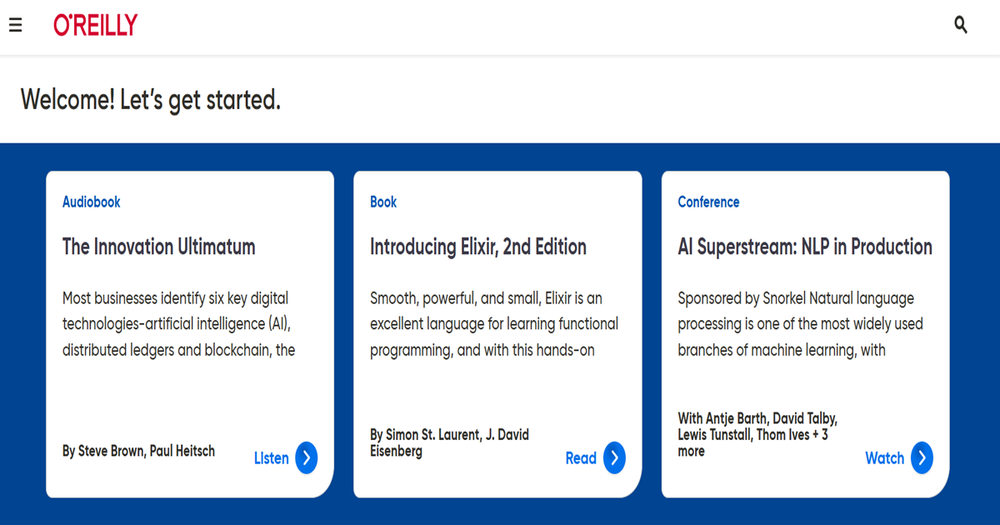
The landing page for O’Reilly’s platform highlights browsing features with a search option. The browsing features include recently added items, recommended items, and most popular items linked to directly access the content. To start a search, click on the search icon at the top of the landing page and add a keyword, subject or author name. There are options for filtering on the results page (e.g., formats, level, publication date, language, time duration). Click on the item’s linked title to expand its information including author information and an abstract/summary, the time duration to view or read, the content level (e.g., beginner), as well as unique information like “what this item will help me do” and the type of audience for whom the item is designed. To start reading or viewing, click the start button, or in the case of a book or other content with chapters or sections, click on a specific chapter. There is also a linked list of recommended content related to the item you are currently viewing for further discovery, and an AI feature to ask questions about anything related to the item. It is also possible to highlight, add a note or copy text within the item as you are reading to save to your profile for later access.
One of the menu options on the upper left of the site, Explore Skills, has a wealth of modules for additional discovery such as cloud computing, data engineering, programming languages and soft skills, with even more sub-topics and filters available to narrow the content as needed. Add items to a playlist to save or bookmark items and select private or public view. Users can submit a review of an item to share perspectives with fellow O’Reilly users.
Additional source types available in O’Reilly include conference talks (video), courses, audiobooks and publicly shared playlists. The content is sourced from notable publishers such as O’Reilly, Pearson, Prentice Hall Professional, IBM Redbooks, Wiley and McGraw Hill.
Examples of use cases for faculty, students and staff include:
- Faculty: sharing a curated playlist with readings or videos as part of the materials for a course
- Students: searching and browsing O’Reilly for supplemental information to coursework or project resources
- Staff: applying readings, videos or courses on a topic as tools for professional development
To provide feedback or suggest a title to add to the collection, please complete the Resource Feedback Form.